Appointment text messages
Last updated October 22, 2026
Prebookk Inc. is preparing to launch transactional appointment messaging in Canada. The evidence below shows the implemented staging consent flows. It does not indicate that production appointment messaging or toll-free verification is active.
How customers opt in
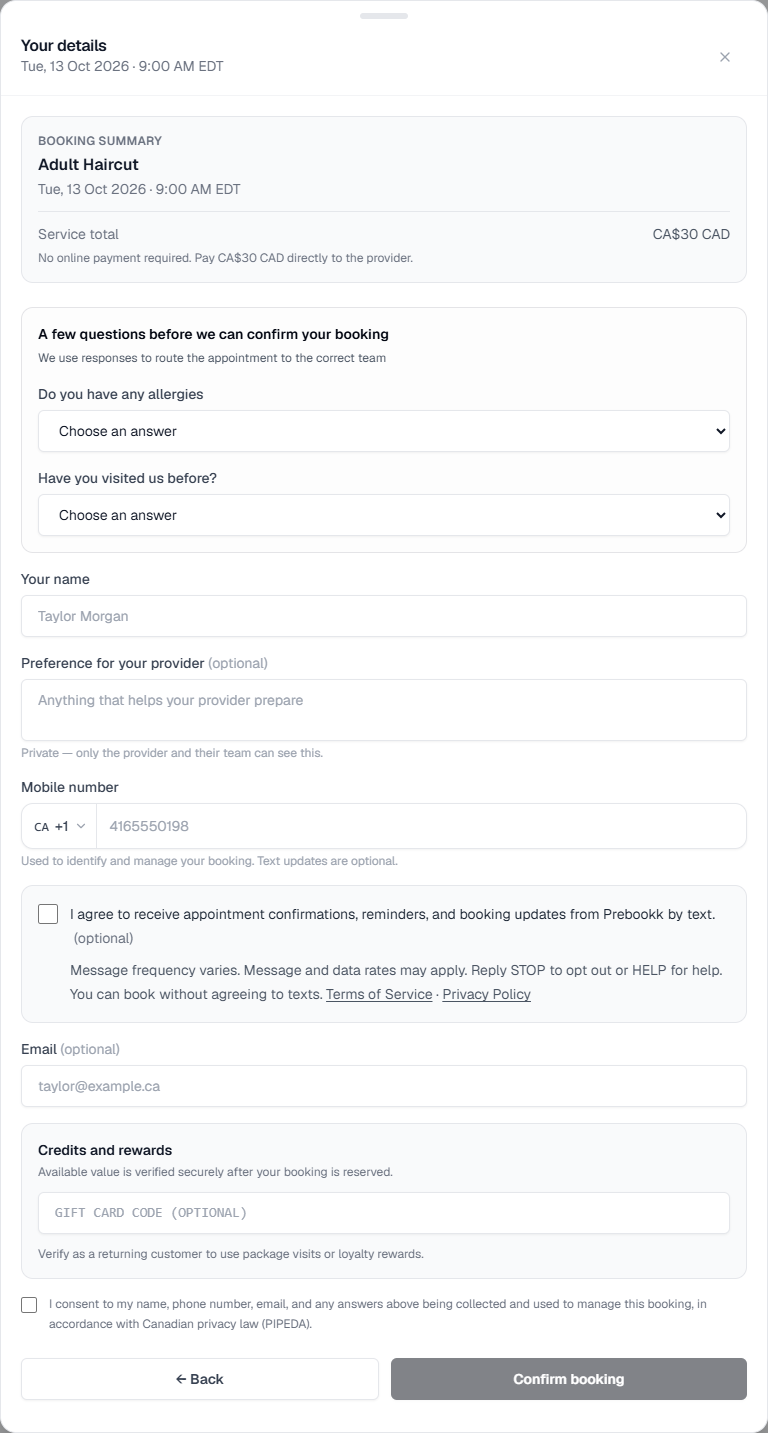
After selecting an appointment, customers enter their mobile number and can select an optional checkbox for appointment confirmations, reminders, and booking updates from Prebookk, including rescheduling. The checkbox starts unchecked. Customers can book without agreeing to texts.
The form explains that message frequency varies, message and data rates may apply, and recipients can reply STOP to opt out or HELP for help. It links to our Terms of Service and Privacy Policy.
We record the choice with the booking, recipient number, disclosure version, and time. Booking-message consent does not authorize marketing messages.
Booking form and consent disclosure
The capture below shows the actual booking form with an unchecked text-message option. Captured from our staging booking form on October 12, 2026. No appointment was submitted to create this capture.
Requested verification codes
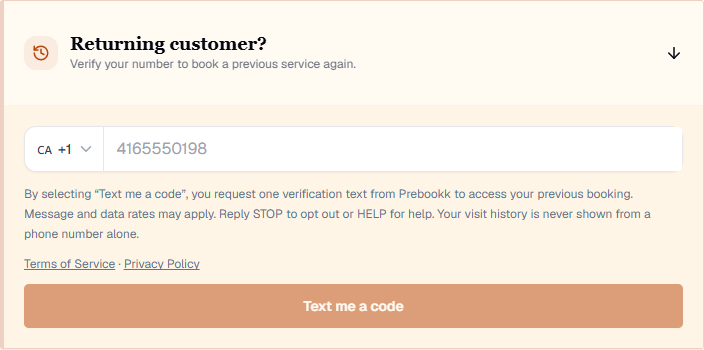
Verification codes are separate from appointment updates. In the returning-customer panel, the customer enters their mobile number and selects “Text me a code” to request one verification text from Prebookk. The disclosure appears above the button and explains message and data rates, STOP and HELP, with links to Terms of Service and Privacy Policy. Choosing appointment texts is not required, and requesting a code does not opt the customer into appointment or marketing texts.
This capture shows the actual staging code-request panel on October 22, 2026. No phone number was entered and no code was requested to create this capture.
Help and opting out
Reply STOP to stop texts from our sending number. Because Prebookk uses a shared sender, this may stop texts for appointments with more than one provider. Reply START to that number to allow texts again. Reply HELP for basic messaging and opt-out information. For Prebookk support, email hello@prebookk.com.